What You Can Do to Prevent Leaking .env Files During Screen Sharing (And No, Window Capture Doesn’t Solve It)
Often overlooked, .env files create serious security risk during live demos and remote collaboration
Environment variable files, commonly named .env, are a standard part of modern development workflows. They store API keys, access tokens, database credentials, and service passwords that applications rely on.
They are also one of the most common sources of accidental leaks during screen sharing.
Many developers assume that using Window Capture instead of Display Capture, or carefully resizing their share region, is enough to prevent exposure. It isn’t.
Here’s what actually prevents .env leaks during screen sharing, and why common safeguards fall short

Why .env Files Are High-Risk During Screen Sharing
A typical .env file looks something like this:
OPENAI_API_KEY=sk-live-xxxxxxxxxxxx
STRIPE_SECRET_KEY=sk_test_xxxxxxxxx
AWS_SECRET_ACCESS_KEY=AKIAxxxxxxxxxxxx
DATABASE_PASSWORD=supersecurepassword
These values are live credentials.
During live demos, onboarding sessions, streams, or debugging walkthroughs, .env files are often opened to:
- Explain configuration
- Demonstrate environment setup
- Show API integration steps
- Troubleshoot deployment issues
- Walk through repository structure
If the file renders on screen, those secrets render too.
Screen sharing tools do not understand what is sensitive. They transmit whatever appears in the captured frame.
Why Window Capture Doesn’t Solve the Problem
Switching from Display Capture to Window Capture reduces the overall surface area of what is shared.
But it does not prevent exposure inside that window.
If your code editor, GitHub page, or browser tab containing the .env file is the captured window:
- The entire visible content of that window can be transmitted.
- Scrolling does not erase previous frames.
- Brief exposure is still recorded.
- Clipped content persists.
Window Capture limits scope. It does not control rendering.
The secret still exists in the frame.
The Structural Issue: Rendering Happens Before Capture
All screen sharing tools follow the same basic flow:
- The application renders content.
- The operating system displays it.
- The capture software records the frame.
- The frame is encoded and transmitted.
If a secret appears at step one, it is eligible for capture at step three.
Cropping, resizing, or changing capture modes affects what is displayed after capture begins. It does not prevent sensitive content from rendering in the first place.
To prevent leaks, you must control content at the rendering layer.
What Actually Prevents .env Leaks During Screen Sharing
Here are practical safeguards, ordered from partial mitigation to structural protection.
1. Avoid Opening .env Files During Live Sessions
The simplest rule is not to open .env files at all during demos or streams.
This works, but it relies entirely on memory and discipline. In fast-moving sessions, mistakes happen.
2. Use Sanitized Demo Credentials
You can maintain a separate .env.demo file with:
- Fake API keys
- Placeholder tokens
- Dummy passwords
This reduces risk during structured demos. However, it requires ongoing maintenance and does not help if you accidentally open the wrong file.
3. Rotate Credentials After Exposure
If a key has already been shown, rotate it immediately:
- Revoke the old key
- Generate a new one
- Update dependent systems
This is reactive, not preventive, and can cause service interruptions.
4. Mask Secrets Before They Render
The most reliable safeguard is to ensure secret values are visually masked before screen capture occurs.
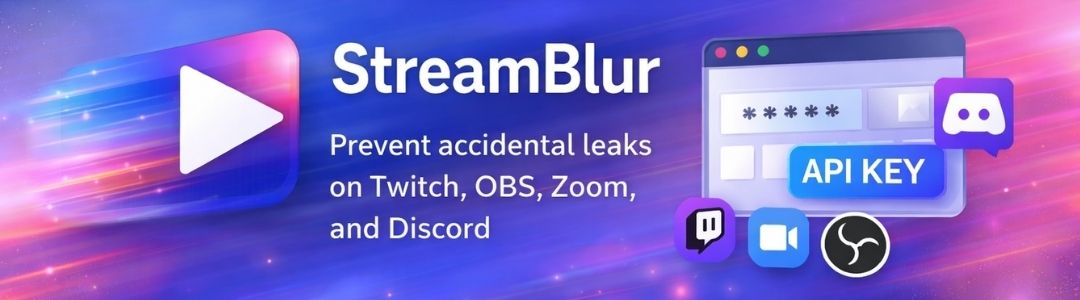
StreamBlur operates at the browser presentation layer. When active, it automatically detects common secret patterns such as API keys and access tokens and masks them inline.
This means:
- Variable names remain visible for explanation.
- Secret values are blurred automatically.
- The masking happens in real time.
- Screen sharing tools capture the protected version.
No changes to Zoom, OBS, Discord, or Google Meet are required.
Protection happens before encodin
Key Takeaway
.env files are essential to development workflows. They are also one of the most sensitive files in a project.
Window Capture narrows your screen share. It does not secure it.
If a secret renders on screen, it can be recorded.
Preventing .env leaks requires controlling sensitive content before it becomes part of the captured frame.
For developers who frequently demo live systems, the safest approach is structural, not reactive.
Protect your stream today
StreamBlur automatically masks API keys, passwords, and sensitive data while you're live.
Get StreamBlur Free