How to Prevent API Keys from Leaking During Live Demos
A Technical Guide to API Key Exposure Prevention in Streaming and Screen Share Environments
Live demos are one of the highest-risk environments for API key exposure. Unlike repository leaks, which occur during development workflows, demo leaks occur in real time. A key becomes visible for seconds. That is sufficient for compromise.
Whether you are live coding on Twitch, presenting at a conference, hosting a sales demo, or sharing your screen over Zoom, API keys can surface unexpectedly through browser autofill, open dashboards, terminal history, local configuration files, or debugging output.
Preventing API key leaks during live demos requires structural safeguards, not just discipline.
This guide outlines the technical controls that materially reduce exposure risk.
Why Live Demos Create Elevated API Key Risk
Live demo environments combine several high-risk conditions:
· Real production or staging credentials
· Dynamic UI loading sensitive data automatically
· Screen capture software displaying full desktops
· Time pressure and cognitive load
· Public or recorded distribution
API keys are bearer tokens. If they are visible in plaintext and valid, they can be used immediately. Automated scanners and manual viewers can capture keys within seconds.
Unlike repository leaks, there is no “commit history” to rewrite. Once a demo is broadcast, exposure is irreversible.
Common API Key Leak Vectors During Demos
Understanding the failure modes is the first step toward prevention.
Hardcoded API Keys in Frontend Code
Developers often embed keys temporarily during testing. In a live coding demo, that “temporary” key becomes visible in:
· Source code editors
· Browser developer tools
· Network request headers
· Bundled JavaScript files
Any key exposed client-side should be assumed compromised.
Exposed .env Files
Local environment files are frequently opened during walkthroughs.
Even if .env files are excluded from Git tracking, they remain readable in a live screen share. Autofill, scroll behavior, or file navigation can reveal secrets unintentionally.
Cloud Dashboards and Admin Panels
Cloud consoles often display:
· API keys
· Secret tokens
· Account IDs
· Billing identifiers
Navigating dashboards during demos introduces exposure risk even if credentials are not directly shown in code.
Browser Autofill and Credential Managers
Modern browsers aggressively autofill sensitive fields. If a form field becomes active during a demo, stored credentials may populate automatically.
Disable autofill entirely in demo environments.
Terminal History and Logs
Terminal sessions can expose:
· Exported environment variables
· Previously executed commands containing keys
· Debug logs printing secrets
Scrolling through logs during debugging is a common leak source.
Technical Controls to Prevent API Key Leaks During Live Demos
Effective prevention requires structural safeguards, not reliance on memory or reaction speed.
1. Use Demo-Specific API Keys with Hard Limits
Never use production keys in a live demo.
Create demo-scoped credentials with:
· Strict usage caps
· IP restrictions
· Domain restrictions
· Limited permissions
Even if exposed, the blast radius remains constrained.
2. Separate Demo Environments from Development Environments
Use a dedicated demo machine or OS user profile.
This isolates:
· Browser sessions
· Credential managers
· Saved passwords
· Developer tools
A separate browser profile for demos significantly reduces accidental exposure.
3. Remove Secrets from Client-Side Code Entirely
Client-side API keys should be:
· Replaced with proxy endpoints
· Stored server-side only
· Retrieved via environment variables on backend services
If a demo requires visible code, mock the key or use placeholder values.
4. Implement Secret Scanning Before Going Live
Run local secret scanning tools before demo sessions:
· Gitleaks
· Trufflehog
· Pre-commit secret hooks
These tools reduce the likelihood that a hardcoded key exists in visible code before you begin streaming.
5. Use Scene Buffers in OBS or Screen Capture Software
When switching contexts during a demo:
· Transition to a neutral buffer scene
· Switch browser tabs off-stream
· Confirm visibility before returning
Never switch directly between sensitive contexts in real time.
6. Apply Presentation-Layer Controls to High-Risk Interfaces
Certain demo elements consistently contain risk:
· API key management sections
· Billing panels
· Account settings
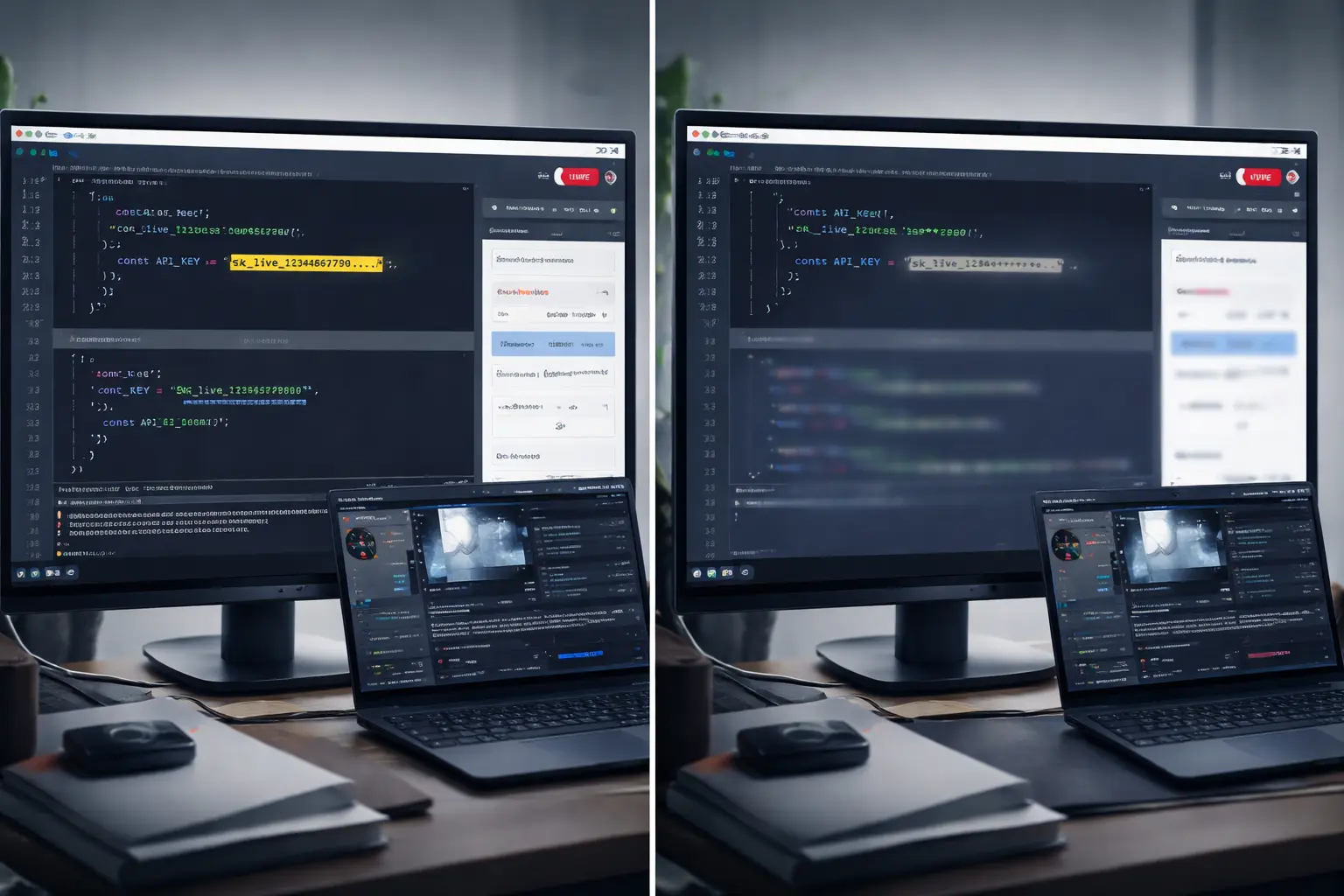
Applying persistent masking to high-risk UI regions reduces exposure windows created by navigation. This presentation-layer approach protects sensitive content even when dynamic interfaces load unexpectedly. A deeper explanation of this architecture is available on our How It Works page.
Developers frequently ask whether this type of protection introduces latency or interferes with streaming workflows. Those implementation details are covered in our FAQ.
Why Reaction Is Not a Security Strategy
Many developers assume they will “catch it” if something appears briefly.
Live demos introduce:
· Latency
· Cognitive load
· Viewer delay
· Clip recording
If a key is visible for two seconds, it is sufficient.
Security posture must assume that anything shown can be captured.
API Key Leak Prevention Is Architectural, Not Behavioral
The question is not:
“Will I notice in time?”
The question is:
“Can this key become visible at all?”
Eliminate visibility pathways, and you eliminate dependence on reaction speed.
Live demo security is not about perfection. It is about reducing exposure windows through deliberate environment design.
For additional technical discussions on streaming risk, demo environments, and exposure control, visit the StreamBlur Blog.
Protect your stream today
StreamBlur automatically masks API keys, passwords, and sensitive data while you're live.
Get StreamBlur Free