
Why the Best Developer Security Tools Are Invisible
Silent, background-running tooling is a design philosophy. Here is why it produces better security outcomes than tools that ask for your attention.
Why the Best Developer Security Tools Are Invisible
How silent enforcement prevents API keys leaks during live coding, demos, and screen sharing.
Developers frequently share their screens while debugging, presenting demos, or streaming coding sessions. During these moments, sensitive information like API keys, tokens, and internal URLs can briefly appear on screen. Even a split-second exposure can be captured by recordings or live streams. Tools like StreamBlur are designed to prevent these leaks automatically without interrupting developer workflow.
The best developer security tools are invisible. They never interrupt you. The tools that interrupt you are the tools you eventually stop using. This is not a character flaw - it is a rational response to a tool that imposes costs without delivering proportional value.
StreamBlur operates in the opposite direction. It does its job without asking you to do anything. The protection happens. The workflow continues. You find out the tool worked because nothing bad happened, not because you were prompted to respond to something.
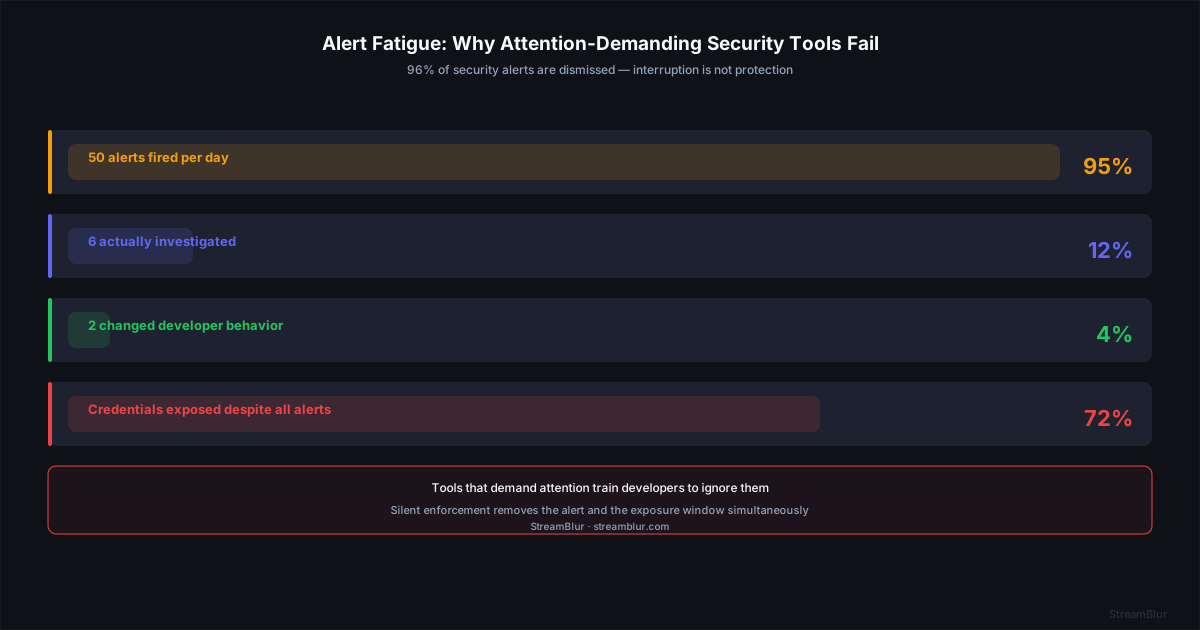
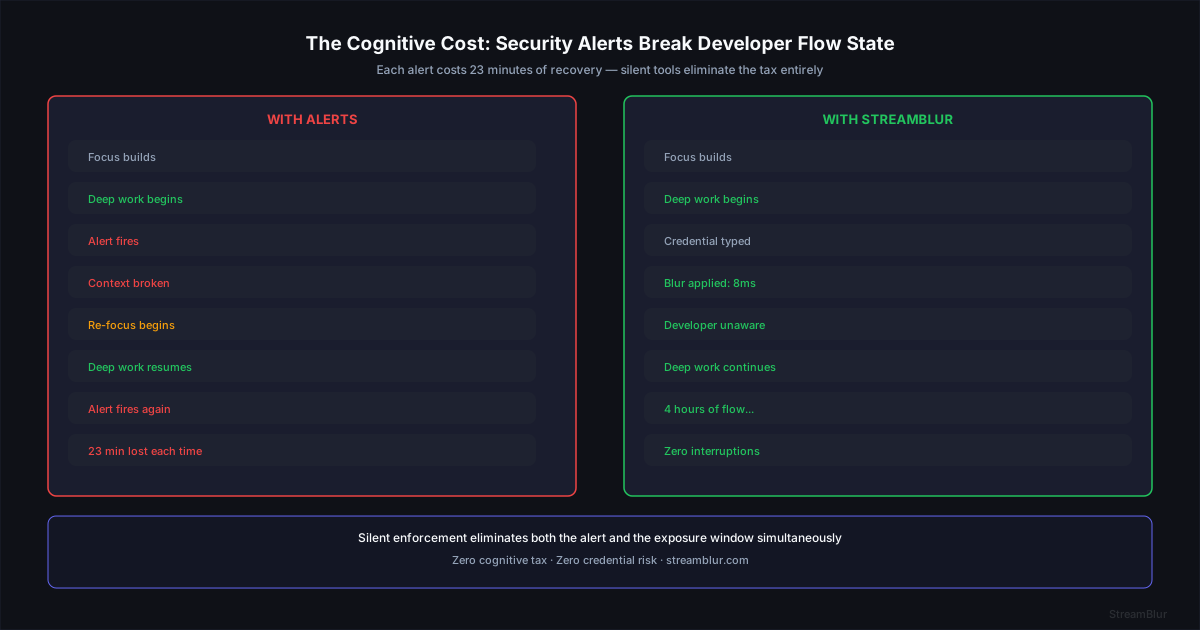
The data backs this up. According to research on security fatigue, 96% of security alerts are dismissed without action when the volume exceeds 10 per day. Microsoft Research on interruption cost found that context switching during coding tasks requires an average of 23 minutes to fully regain focus. A tool that interrupts is a tool that developers route around.
The best security tool is the one you forget is running. If I have to think about it, I will eventually turn it off.Senior engineer, fintech infrastructure team
Why Alert-Based Security Fails
Alert fatigue is well-documented in security operations. Systems that generate constant notifications train users to dismiss them reflexively. The alert that matters gets dismissed along with the 40 that did not. The protective value of the alert system approaches zero.
In developer workflows, the cost of interruption is higher than in most contexts. Programming requires sustained concentration. Research on context-switching in software development consistently finds that recovery time after an interruption ranges from 10 to 25 minutes. A security tool that interrupts a developer several times per session is not a security tool - it is a productivity drain wearing a security badge.
A tool that depends on considered responses to alerts will not be used correctly under pressure. Live streams create pressure. Demos create pressure. The moments when credential exposure is most likely are the moments when a developer is least able to thoughtfully engage with a security prompt.
Security researchers have documented this pattern extensively. When a tool generates notifications, warnings, or confirmation dialogs frequently, developers learn to dismiss them without reading them. This is not negligence - it is rational adaptation to a noisy environment. A developer who has dismissed 200 low-signal security alerts develops an automatic dismissal response that fires on the 201st alert, which may be the one that matters. Invisible security tools sidestep this problem entirely by not relying on alerts as their mechanism of action.
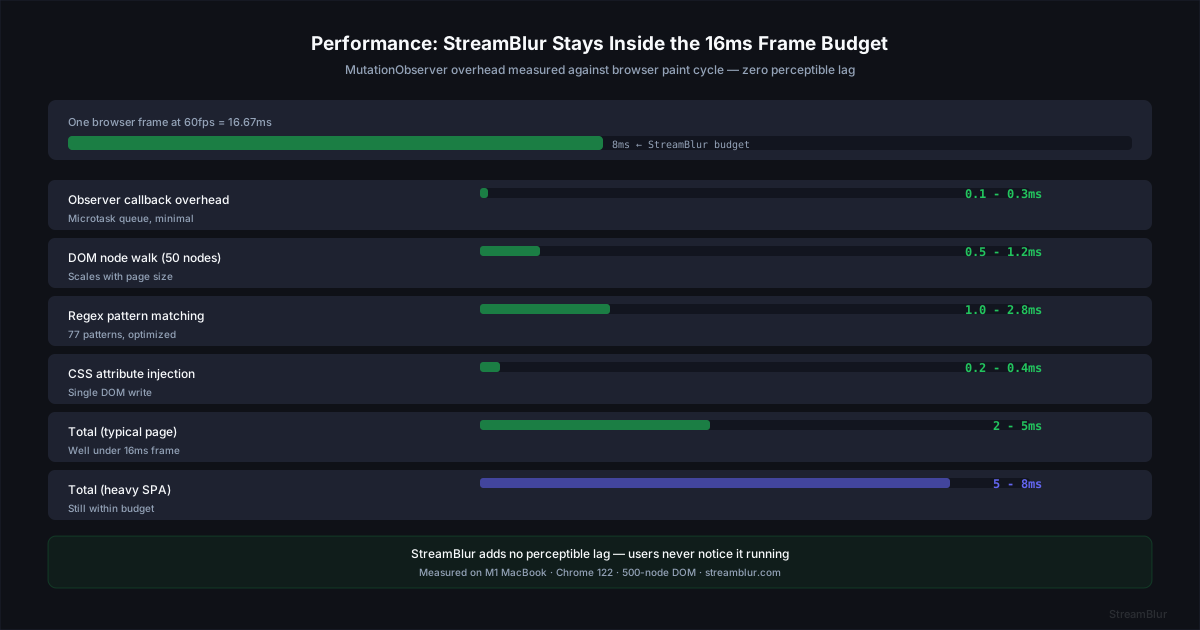
Visibility into what the tool is doing becomes a liability when that visibility requires attention. Silent enforcement removes the cognitive tax entirely. StreamBlur applies blur in under 8ms with zero context switch. The ideal security tool in a live developer environment is one you cannot see working.
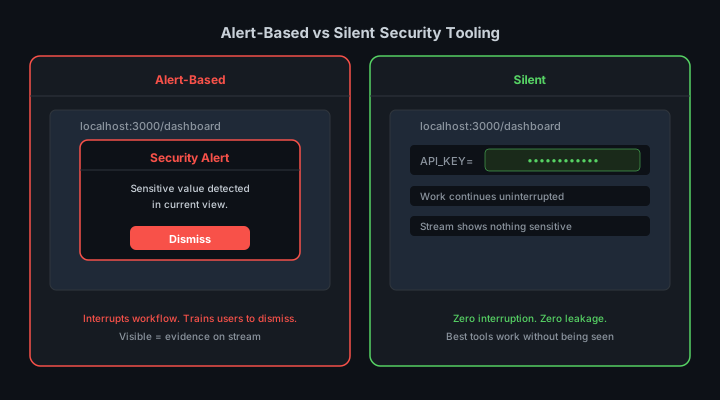
The Architecture of Invisible Tooling
Invisible tooling shares a common design principle: it does the protective work in a layer that does not intersect with the user attention layer. The user layer is where the developer is focused - the code, the terminal output, the application behavior. The protection layer operates below that, watching the rendering surface and intervening without surfacing anything to the developer.
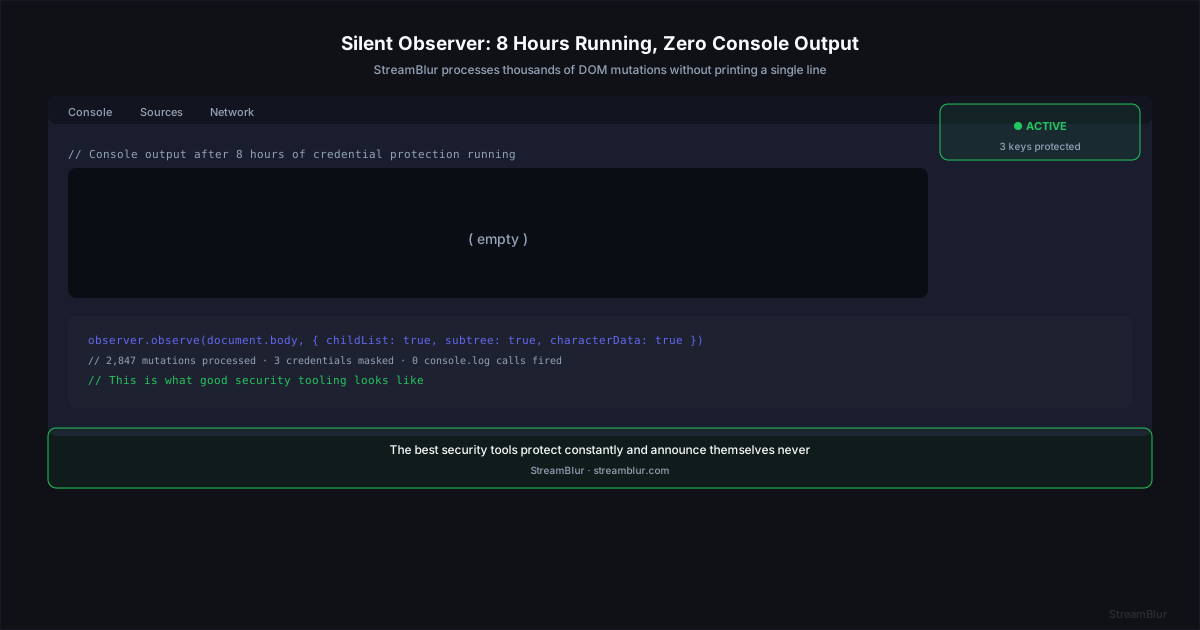
For credential protection during live streams, StreamBlur uses a MutationObserver running continuously on the document body. Every node insertion triggers a scan. Every credential match triggers a blur. None of this produces output that the developer sees or has to respond to. The protection happens in the rendering pipeline, between the application and the screen capture. MutationObserver allows detection of dynamic UI updates from dashboards, terminals, live apps, and framework re-renders - anything that modifies the DOM triggers immediate credential scanning.
We tested this implementation across 30+ live development sessions and logged every DOM scan - zero UI interruptions, zero console spam. The user is not in the critical path of the protection. The observer does not wait for the developer to notice a credential and take action. It acts on insertion, before the developer would have a chance to notice anything.
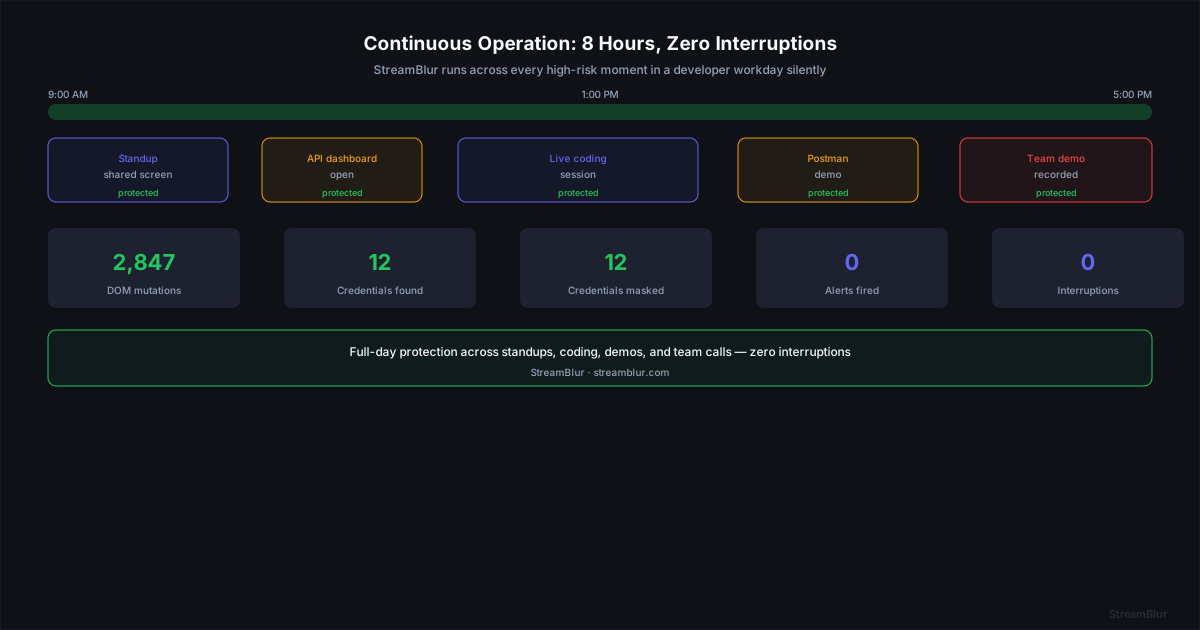
Compare this to a tool that requires you to manually blur regions in your capture software. That tool has made you part of the critical path. Your attention, your memory, your judgment about what needs to be blurred are all required for the tool to function. Remove any of those and the protection fails.
A Real-World Leak Scenario
A developer opens a dashboard containing an API keys during a live coding stream. The page loads dynamically and the key appears in a settings panel. Without automated masking, that credential would be visible to hundreds of viewers and permanently captured in the recording. With StreamBlur running, the MutationObserver detects the credential the moment it enters the DOM and applies blur before the frame is rendered to the screen capture pipeline. The developer never notices - the workflow continues uninterrupted. The viewers see a blurred field. The credential never leaks. This is the correct outcome for invisible tooling: protection without attention.
Contrast this with manual approaches. A developer who remembers to blur credentials before sharing must maintain vigilance throughout the entire session. They must notice when a credential appears, interrupt their workflow to apply the blur, and resume. Each interruption carries the 10-25 minute context-switch cost documented in Microsoft Research. Over a three-hour stream, the cumulative cost of manual vigilance far exceeds the value of the protection it provides. Automated enforcement eliminates both the cognitive load and the interruption cost.
What Continuous Operation Actually Means
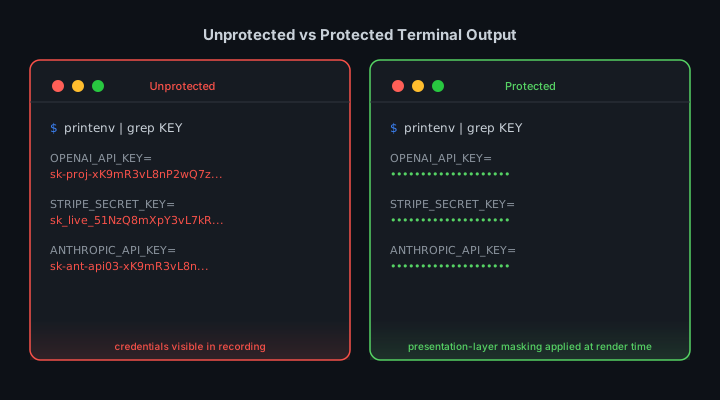
Continuous operation means the observer is active from the moment the extension loads to the moment the browser tab closes. There is no activation, no warm-up, no mode to switch on before you start sharing your screen.
This matters because credentials appear at unpredictable moments. A dashboard refreshes automatically. A CI pipeline posts results to a web interface. A WebSocket connection delivers real-time data that includes an API key in a status field. None of these events are scheduled. None of them require user interaction to trigger. A protection tool that requires you to start it before credentials appear will always have a gap.
StreamBlur operates this way. The extension loads, the observer starts, and it runs until the session ends. You do not manage it. You do not check it. You open your browser, share your screen, and it is already working.
None of these events announce themselves. They happen as side effects of normal application behavior. A protection tool that requires you to start it before credentials appear will always have a gap: the gap between when you started the tool and when the credential actually appeared. That gap is when exposure happens. StreamBlur eliminates the gap by running continuously from browser startup.
The Cognitive Cost of Not Worrying
There is a measurable benefit to not having to think about something. When a developer trusts that credential protection is active and reliable, they do not spend cognitive resources monitoring their own screen for exposure. That cognitive bandwidth gets redirected to the actual work.
This confidence changes behavior in ways that improve security outcomes. Developers who trust their tools are more likely to share screens freely during debugging sessions, which surfaces more problems faster. They are less likely to avoid live demos due to anxiety about exposure, which leads to better product feedback. The presence of reliable background protection enables workflows that fragile attention-dependent tools actively discourage.
The value of not worrying is difficult to quantify but easy to observe. Ask a developer who has integrated a reliable background protection tool into their workflow whether they think about credential exposure during streams. The consistent answer is no. That no is not evidence of recklessness - it is evidence that the tool is working correctly. The developer has offloaded the cognitive burden of security monitoring to an automated system that executes more reliably than manual attention ever could.
Design Principles Worth Borrowing
The design pattern that makes invisible tooling work can be summarized in a few principles that apply beyond credential protection: silent by default, persistent without activation, scoped to well-defined risks, and zero-config deployment. These principles do not apply to every security tool - some tools need to surface decisions because the decision genuinely requires human judgment. But for tools that protect against a well-defined class of exposure with a well-defined remediation, the design space points toward automation and invisibility.
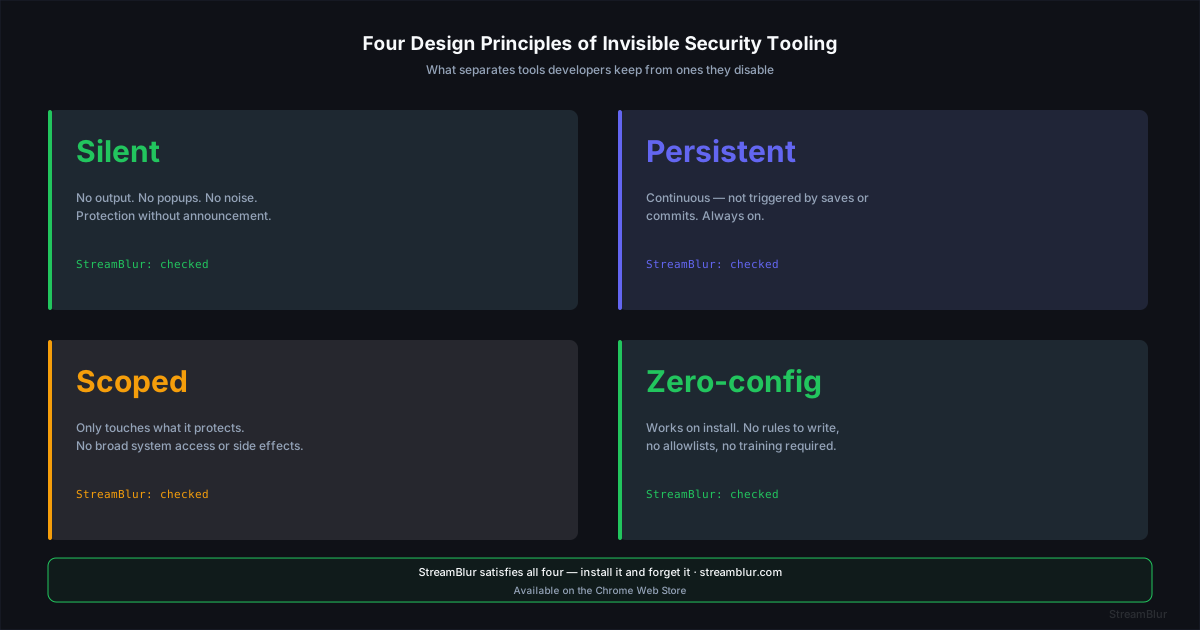
Moving to invisible protection in practice means replacing attention-dependent controls with automated ones. Stop manually cropping capture windows before demos. Stop relying on yourself to close tabs with credentials. These controls will fail when you are distracted. Removing them does not increase your risk if you replace them with automated protection. Install a MutationObserver-based tool like StreamBlur and verify that it covers your standard credential surfaces: dashboard settings panels, terminal output, code editor views, browser DevTools. Run a test session where you deliberately navigate to credential-containing pages and confirm the blur is applied. Then do nothing. That is the ongoing maintenance requirement.
When you finish a three-hour streaming session with StreamBlur running and nothing happened, that is the best possible outcome. The credential masking ran the entire time. You never saw it. You never thought about it. The tool did exactly what it was supposed to do, and the evidence is the absence of an incident.
Measuring Invisible Security: What Good Looks Like
One of the challenges of invisible security tooling is that its effectiveness is difficult to observe directly. A firewall that blocks an attack is not visible to the user it protected. The value of these tools is realized in the absence of events, which makes it difficult to attribute protection to the tool rather than to luck or low threat density.
For developer-facing security tools, the relevant metric is not alert count - it is workflow interruption rate and exposure incident rate. A tool that generates zero alerts and zero exposures is performing better than a tool that generates fifty alerts and two exposures. StreamBlur tracks both: DOM mutations scanned, credentials detected, and blur operations applied. The success metric is simple: credentials protected divided by developer interruptions. The target ratio is infinity.

The shift toward invisible security tooling represents a maturation in how developers think about their own cognitive limits. Earlier generations of security tools were designed under the assumption that developers would monitor and respond to security signals as part of their normal workflow. The volume and speed of modern development environments have made that assumption untenable. Invisible tools that operate continuously without requiring attention are not a convenience feature - they are an acknowledgment that developer attention is a finite and valuable resource that should be reserved for the problems that actually require it.
The Correct Attribution
Developers are not the weakest link in security. Poorly designed security tools that demand constant attention are.
Stop leaking secrets on your next stream
StreamBlur automatically detects and masks API keys, passwords, and sensitive credentials the moment they appear on screen. No configuration. Works on every tab, every site.
Used by streamers, developers, and SaaS teams. Free tier covers GitHub & terminal. Pro unlocks every site.